Stripe Billing Integration FAQs
Last updated: January 24, 2025
Numeral’s Stripe Integration is designed to help you collect tax on your invoices and subscription invoices created in Stripe.
Once you’ve connected your store to Numeral and registered with local jurisdictions, we’ll be able to automatically add tax lines to your invoices.
Here are a few FAQs about setting up and collecting tax in Stripe Billing with Numeral.
I'm not sure what you mean by "invoices" - where will you collect tax?
We add tax to Stripe Invoices created by Stripe Billing, Stripe Subscriptions, and invoices created manually in the dashboard.
How do I turn on tax collection for my Stripe Invoices?
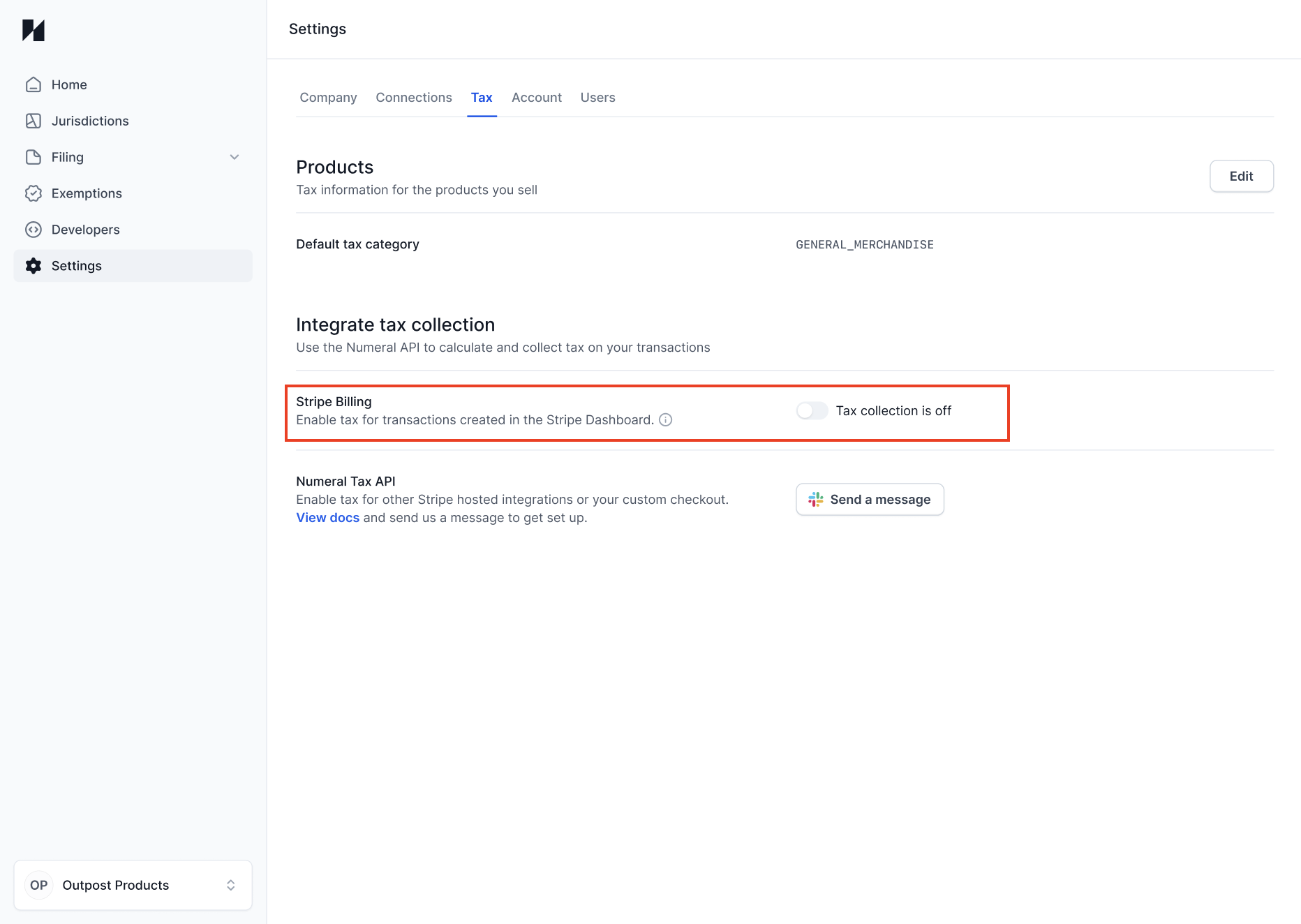
Once you've connected your Stripe store to Numeral, it's one click to turn on collection.
In your Numeral dashboard, you can turn the collection toggle for Stripe Billing on and off under Settings > Tax. https://dashboard.numeralhq.com/settings/tax
When will Numeral collect tax?
Our integration is built to add tax lines to invoices in Stripe. We add taxes to your invoices to ensure you collect the correct amount every time.
We will only add tax to an invoice selling into a jurisdiction where you have exceeded the relevant sales thresholds. We keep track of all your registrations at https://dashboard.numeralhq.com/jurisdictions
How does Numeral know when I create an invoice?
When you install Numeral and turn on tax collection, we will begin receiving webhooks from your Stripe account any time an invoice is created.
Every time Stripe sends a webhook, we check to see if the invoice is in a jurisdiction you are registered in. If you are, we add taxes to the invoice.
I use Stripe as a payment processor, but don’t charge my customers through invoices. How can I collect tax?
For one-off charges, you’ll integrate directly with Numeral’s API. Check out our documentation here.
When will my invoices show up on a tax return?
When your invoice is paid, Numeral will recognize that invoice as a completed transaction to be reported. We will file the invoice’s associated taxes based on the date the invoice was paid.
For example, if you are filing monthly and you create an invoice on September 15th, but the invoice isn’t paid until October 15th, those accompanying taxes will be filed as a part of your October return.
Tax rates aren’t showing up on my invoices. How can I troubleshoot?
There are a few things to check.
First, check your Numeral dashboard. Under Settings > Tax, you can check to see if the collection toggle for Stripe Billing is turned on.
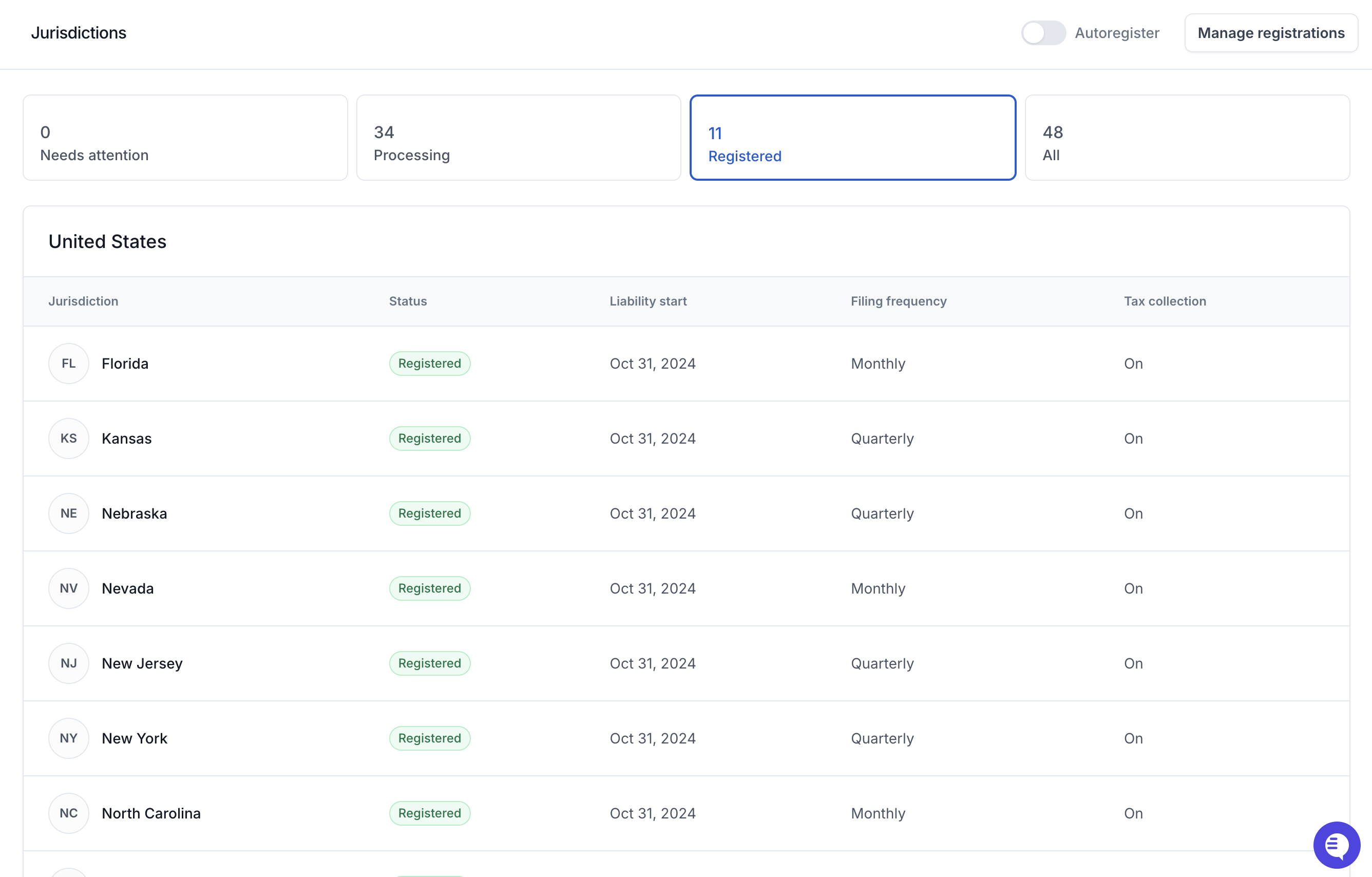
Second, make sure your invoices have an address in a jurisdiction that you’re collecting tax in. Numeral will only collect tax once you have a completed registration or a fully verified transfer registration. You can see the jurisdictions that you should be collecting in under the Registered category in the jurisdictions tab in your Numeral dashboard at https://dashboard.numeralhq.com/jurisdictions.
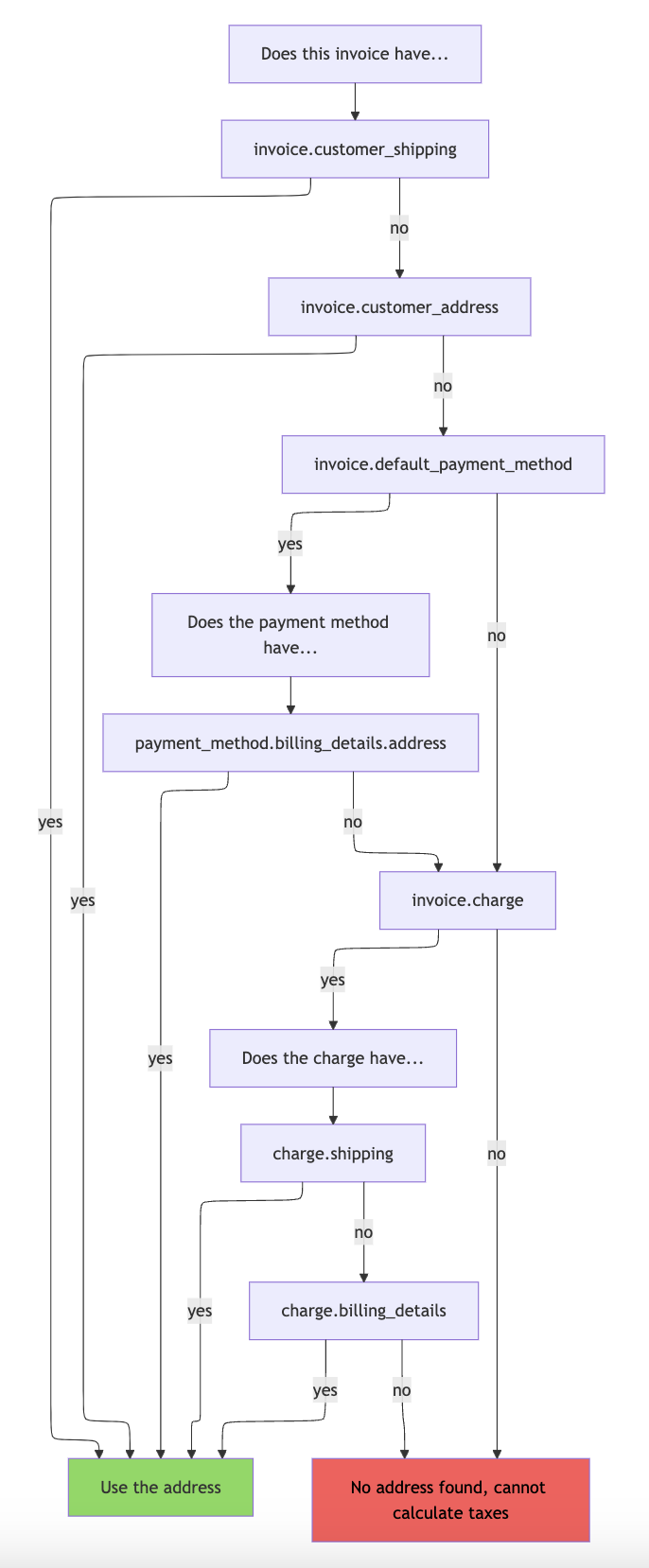
Third, make sure the addresses on your invoices are input correctly. An address is necessary for determining a tax rate. If we can’t find an address on your invoice, we won’t add taxes. Here’s our progression for finding an address:
Fourth, if you are creating one-off invoices, make sure you are leaving them as draft invoices so the Numeral integration is able to add tax rates. If you create an invoice and immediately finalize as open for customers to pay, the invoice is not mutable, and our integration won’t be able to add tax rates. When you've finished creating the invoice, refresh the page to display the tax lines.